SSH Gateway 1.1.0 · Agent sessions
Give Your AI Agent Secure SSH Access
Time-limited delegation without giving the agent your reusable server credentials
 Martin Stecher
November 9, 2026
I assume we all share a similar experience: I am working with Claude and Codex on my Mac and have a standard Linux server in my office network that I want my AI agents to work on. And I have a number of servers out there on the internet where, from time to time, I want my agents to complete a task for me.
The usual best-practice advice is to give the AI agent a separate login - an AI user account. Good for standard tasks, but it turned out to be awkward when I really want the agent to operate on my behalf: “just finish the job I started while I take a rest”. I want it to work in my environment and create files that my account owns.
A first attempt that failed
Having the AI agent use my own SSH key is really not good, way too powerful. And the key is passphrase-protected. I can allow the Apple Keychain to keep it accessible, but only as long as I am at my desk. When I go away and the computer locks, the keychain locks as well.
So, I created a new SSH key pair without a passphrase and added its public key to my authorized_keys list on the servers. It works, but it destroys all the good protection I had before. Each of those servers that I want the agent to access from time to time is now reachable via an unprotected SSH key - all the time. Scary!
The solution I was looking for
- Keep my own credentials and server logins secure and unshared.
- Grant my AI agent access only during the sessions that need it and only to the servers I select for that session.
- Allow my AI agent to keep the access when I am away from my computer.
- Limit the agent to remote SSH commands and file transfer, with no interactive shell, remote desktop or similar access.
- Run a policy on the commands that the AI agent wants to execute and block commands that I really don't want—like
git pushin my case—or that look too complex and fishy. - Write an audit log of the agent's requests and the server results on the separate gateway system, where the AI agent cannot manipulate it.
And it turned out that our patent-protected Cloud Fellows SSH Gateway product already had the core capabilities. We added the agent-session control, policy and audit capabilities needed for this specific use case and released them with SSH Gateway 1.1.0 so that interested partners and customers can deploy the same model.
How it works
SSH Gateway is quick and easy to deploy with minimal setup. On purpose, we do not install any upstream credentials on it. Instead, we leverage our proven ssh-agent credential forwarding so that my private server-login key remains securely on my Mac. The gateway uses the forwarded agent only to authenticate the upstream connection; the private key itself never leaves my Mac.
With a special SSH command sent to the gateway, I start a session to an upstream server and provide a maximum time for which that session shall be valid. The gateway then starts one upstream SSH connection that I authorize at that moment and keeps it open for the duration of the session.
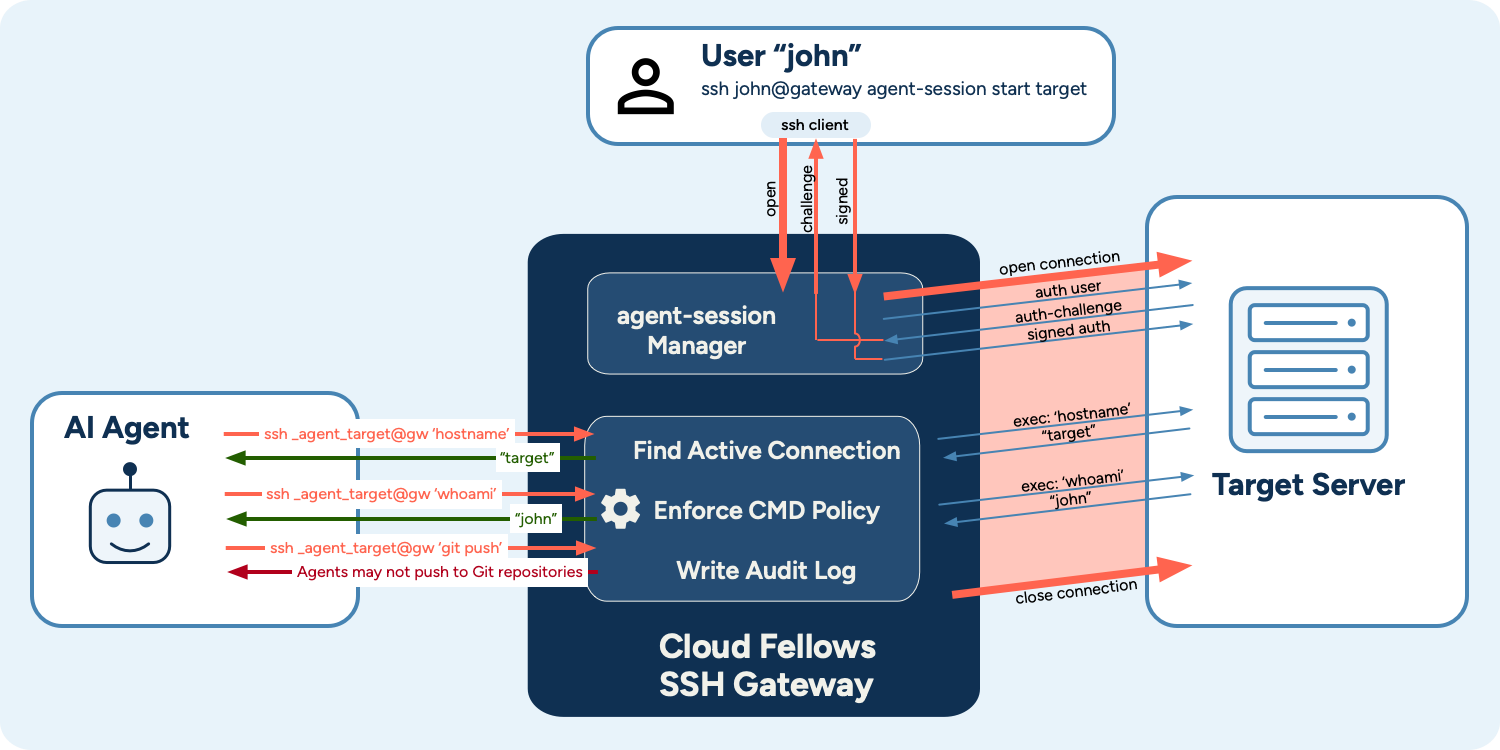
Now, my AI agents use their own SSH keys and user accounts at the gateway to request access to the target servers. The gateway finds the corresponding upstream connection and opens each agent command as a new channel on that already authenticated connection. On the target server, the command therefore runs under my account, without giving the agent the credentials for that account.
The gateway refuses interactive shells, PTYs and forwarding requests from an agent session. Before forwarding a remote command, the gateway runs its policy, which can prohibit unwanted commands and send an error message back that the AI agent can understand and act on.
This policy is an independent guardrail, not an operating-system sandbox. The permissions of my account on the target server and the server's filesystem and network controls remain the hard security boundaries.
And the gateway writes a new Agent Audit Log. It records the session lifecycle, the agent's requests, policy decisions and results. For command streams it records byte counts and SHA-256 hashes, plus a configurable capture from the beginning and end of the output. When the SCP/SFTP proxy inspects a transfer, it also records the file activity and content hash, but not the file content. The log itself is stored on the separate gateway system, outside the agent's reach, and its hash chain makes later changes detectable.
Delegate the connection, not the credential
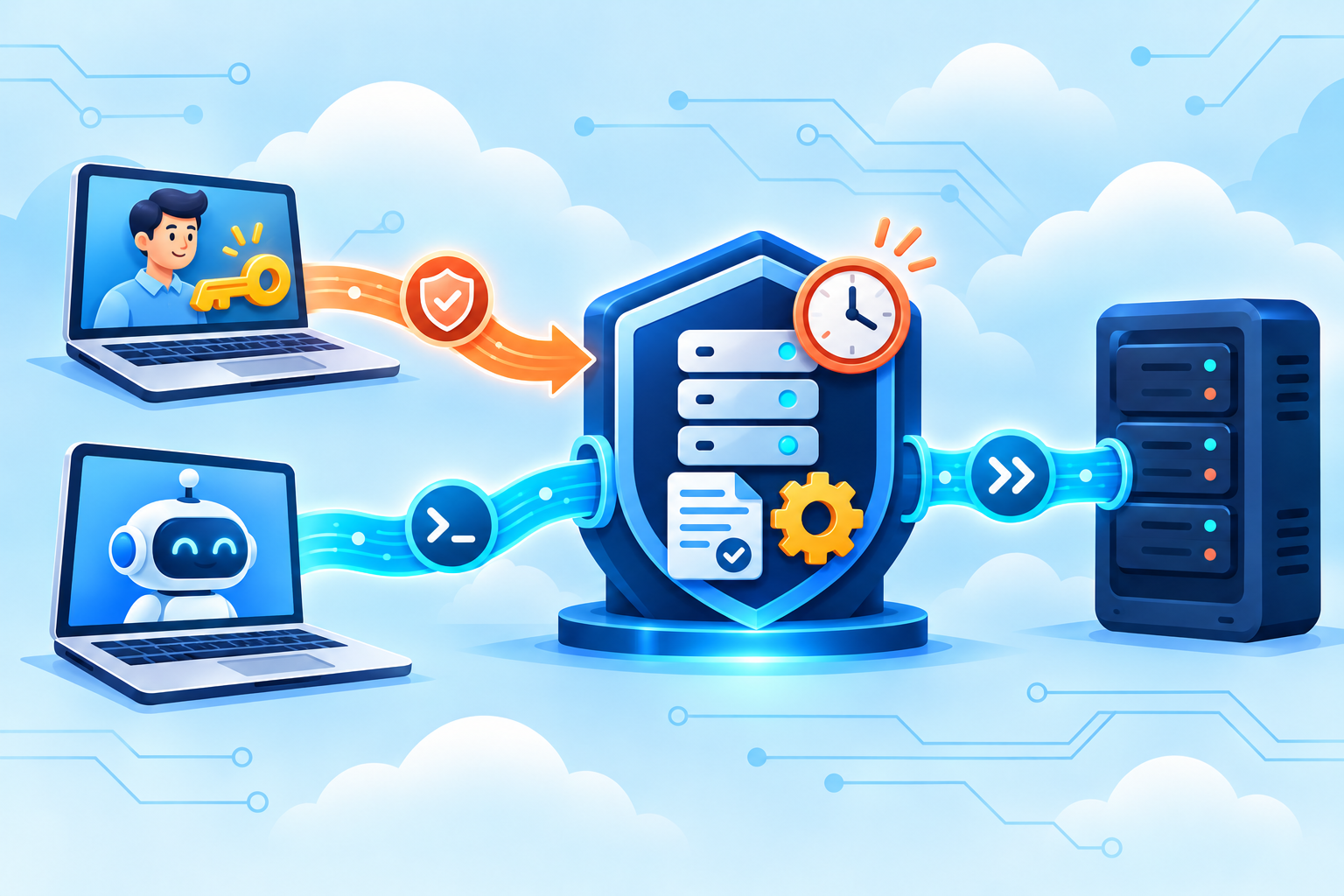
The agent receives temporary, policy-controlled use of an authenticated server connection. It never receives the private key that created that connection.
From theory to production
What started as a theory turns out to run really well in production. I set up entries in my ~/.ssh/config to make access to my standard internal server so simple that the AI agent does not distinguish it from a normal ssh command. And even for temporary access to remote servers, the call is simply:
ssh _claude1_www.example.org@AgentGateway <command>Telling the AI agent to use that is straightforward and works.
During the session, the upstream connection needs to stay up. If it breaks, I need to re-establish it because only I manage the credentials for my account. The session fails closed in the meantime: the agent cannot reconnect to the target on its own. It runs very stably, and the command multiplexing works great - even with multiple AI agents accessing the connection in parallel. I like this fail-closed behavior because it gives me the security I need.
And there is a very nice side effect: performance is better when using the gateway. Why is that? The gateway runs in my local network, so the many SSH connections that the AI agent opens have a very small round-trip time and can be established quickly. The remote connection to the server, with its longer round-trip time, is already open. Only a new channel is started, which requires fewer SSH message round trips over the remote connection.
For me, this is the useful balance: the AI agent can work under my identity when I explicitly delegate a task, but it never receives my reusable credentials. The delegation is time-limited, independently controlled by SSH Gateway, checked by policy and recorded outside the agent's reach.
SSH Gateway 1.1.0 makes this agent-session model available to our partners and customers. The release also includes a broader set of security, protocol and reliability improvements; the release notes contain the complete list. If you would like to evaluate this setup for your own AI-agent workflows, please get in touch.