Secure DNS and web policy · Part 1
The Secure DNS Protocols
DoH, DoT and DoQ from a security gateway perspective
 Martin Stecher
October 14, 2026
Martin Stecher
October 14, 2026
In the office, a resolver on the classic DNS port 53 does its job. DHCP hands it out, the firewall blocks the alternatives, and the answers arrive as they were sent. Take the laptop to a hotel and none of that holds anymore. Once DNS answers carry security policy, the path to the resolver needs the same protection as any other policy channel.
DNS decides where the connection goes
Before a browser opens a connection, DNS tells it where to go. With HTTPS records it also tells it how: which protocol, which port, which endpoint. That makes DNS a natural place for the first policy decision. The resolver can refuse a malware domain before any connection exists, return the origin's real records for traffic that should go direct, or return the gateway's address for traffic that should be inspected.
All of this depends on one thing: the client must receive the answer the resolver actually sent.
What plain DNS gives away
DNS over UDP or TCP on port 53 has neither encryption nor authentication. Everyone on the path sees every name, and the first answer to arrive wins, even if an attacker injected it.
It is tempting to think that TLS has made DNS spoofing harmless: a forged address leads to a server without a valid certificate, and the browser refuses it. We tested that assumption. We forged the address record for a domain, suppressed the HTTPS record, put a fake server behind the address, and typed the hostname into the address bar without https://, as most users do. We tried three major browsers and two variants of the fake server. In every variant, at least one browser loaded the attacker's page over plain HTTP without any warning. The others refused, or left the decision to a dialog the user could simply click through. For sites without HSTS, whoever controls DNS can sidestep TLS when navigation begins with a bare hostname.
Even on the office network, a compromised device can inject forged answers into unprotected DNS on port 53. In a hotel or at an airport it is worse: whoever runs the network, or a rogue access point, controls the resolver itself and does not even have to win a race.
Three transports, one service
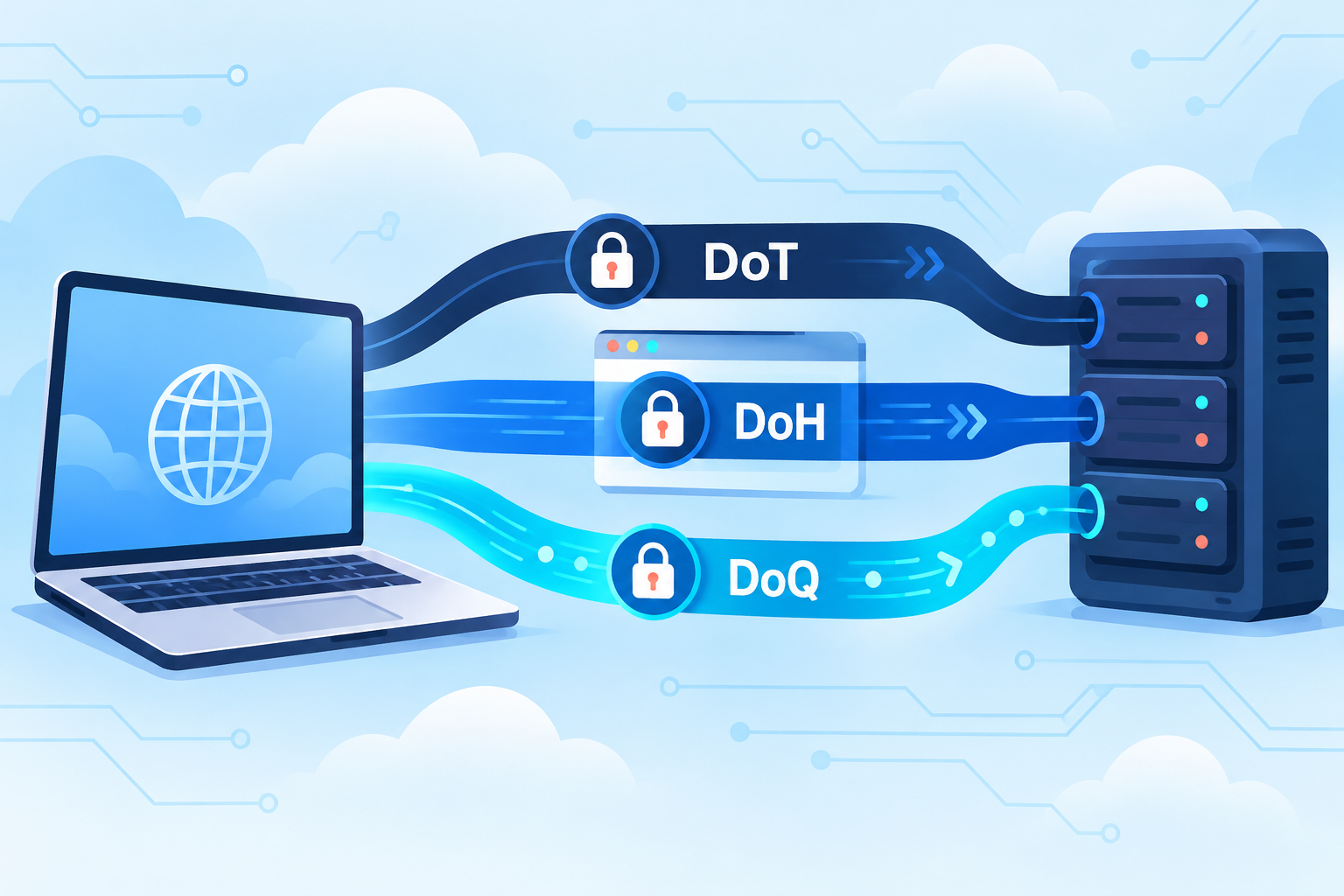
DNS over TLS (DoT), DNS over HTTPS (DoH) and DNS over QUIC (DoQ) carry the same DNS messages inside an authenticated, encrypted connection. Where they differ is how a client reaches them.
| Transport | Network path | Where it fits |
|---|---|---|
| DoT DNS over TLS RFC 7858 |
TLS over TCP Port 853 |
Operating system resolvers: Android Private DNS, systemd-resolved. Easy to identify, and therefore easy to block. |
| DoH DNS over HTTPS RFC 8484 |
HTTPS Port 443 |
Browsers and Apple configuration profiles. Passes wherever web traffic passes, and every query carries HTTP headers. Part 2 puts one of them to use. |
| DoQ DNS over QUIC RFC 9250 |
QUIC over UDP Port 853 |
One QUIC stream per query avoids TCP-style head-of-line blocking between independent queries. The fewest client implementations of the three. |
The protocol specifications are RFC 7858, RFC 8484 and RFC 9250. One caveat applies to all three: the resolver is authenticated only if the client is configured strictly. Opportunistic modes, such as Android's Private DNS set to Automatic, do not pin the client to the organization's resolver and may fall back to the network-provided plaintext resolver. That fallback is exactly what an attacker on the path would trigger.
Encrypted is not the same as controlled
Encrypting DNS to whatever resolver the browser or operating system vendor picked improves privacy on the local network, and moves the policy decision out of the organization's hands. A security service needs a resolver it controls: one that sees the hostname (that is the point), applies policy to it, and has a defined answer for when the policy source is slow or down.
If you come from DNSSEC, you might expect the client to validate the answers instead. That cannot work here. A policy resolver that answers with a gateway address rewrites the record on purpose, and no signature covers that. Validation, where it is used, belongs on the resolver's upstream side. The client trusts the resolver it authenticated over TLS or QUIC.
The second leg
A policy resolver has two connections: one from the client, and one to the upstream recursive resolver for every name it does not answer itself. Encrypt only the first, and the query leaves the gateway in plaintext on port 53, after a perfectly protected trip from the laptop.
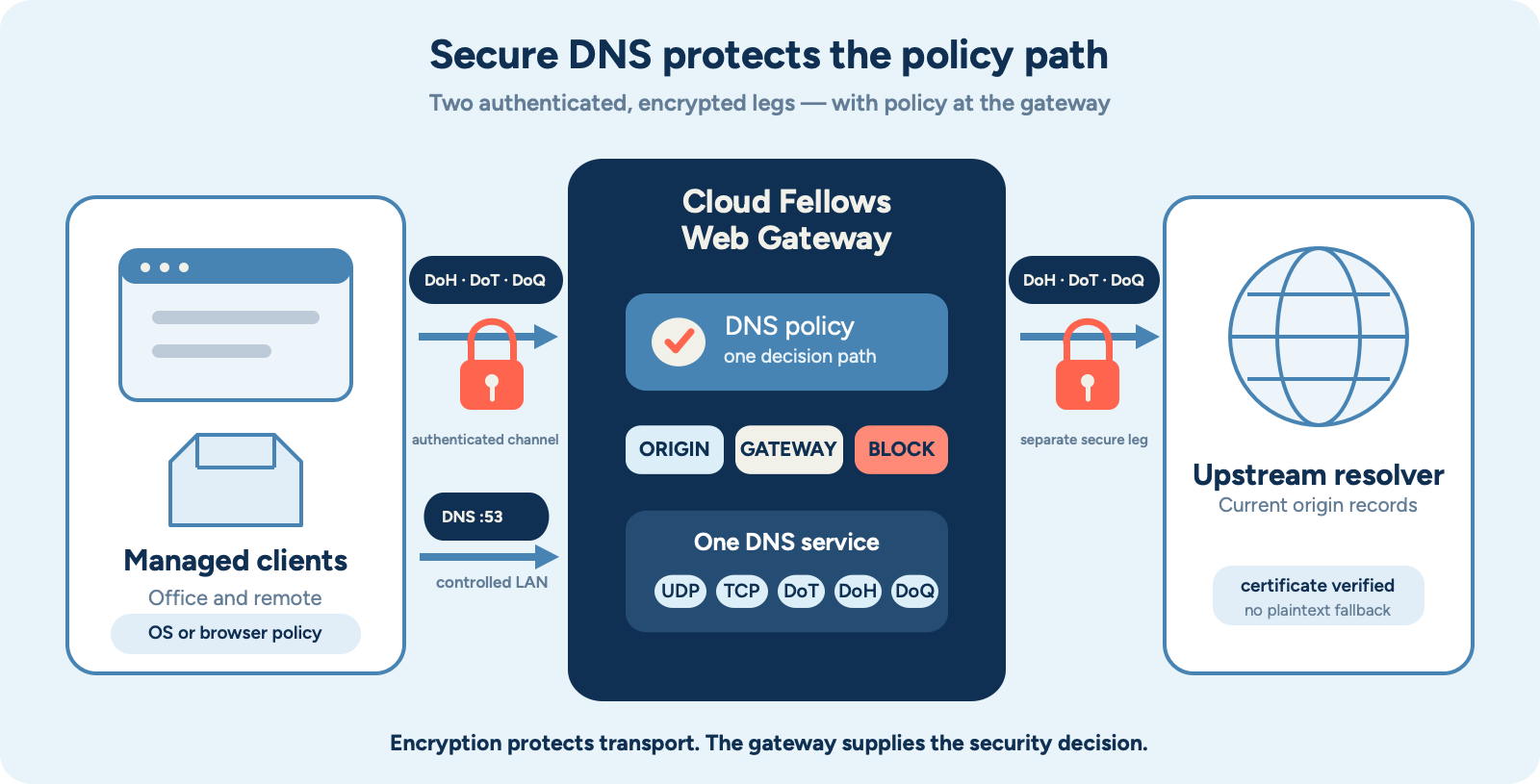
We deliberately do not call this end-to-end encryption. The gateway terminates the client's connection because it has to read the query. It then opens a second, separately authenticated connection to the upstream resolver. In Web Gateway, that leg is a single configuration entry:
"Upstream": { "Transport": "DoT", "Address": "9.9.9.9" }
"Upstream": { "Transport": "DoQ", "Address": "94.140.14.14" }
"Upstream": { "Transport": "DoH", "Address": "1.1.1.1", "Name": "cloudflare-dns.com" }
The resolver's certificate is always checked, and there is no setting to turn that off. If the resolver is unreachable or presents the wrong certificate, forwarded queries are answered with SERVFAIL. They are never sent in plaintext instead.
Getting the clients there: one Mac, two settings
In the office, DHCP and the firewall do the work. Remote devices need a configuration that travels with them, and on a Mac that turned out to be two configurations.
A DNS Settings payload, deployed through device management, points the system resolver at the DoH endpoint. Safari and every other app on the system resolver follow it:
<key>DNSSettings</key>
<dict>
    <key>DNSProtocol</key>      <string>HTTPS</string>
    <key>ServerURL</key>        <string>https://dns.example.com/dns-query</string>
    <key>ServerAddresses</key>  <array><string>192.0.2.10</string></array>
</dict>
Chrome does not follow it. In our tests, Chrome 150 on macOS 12 with default settings ignored the profile, used its own resolver and sent plain DNS to the router, straight past the gateway. Chrome needs its own enterprise policy:
DnsOverHttpsMode       secure
DnsOverHttpsTemplates  https://dns.example.com:8443/dns-query
Use secure, not automatic. In automatic mode Chrome falls back to plain DNS when DoH fails, so the secure path is abandoned at the very moment someone interferes with it. The separate port 8443 is not required, but Part 2 shows why it is worth having.
How Web Gateway 1.1.0 puts it together
Web Gateway 1.1.0 runs one DNS service on UDP, TCP, DoT, DoH and DoQ. Static records, forwarding, access control, rate limits and the DNS policy are the same for all five. Moving a laptop from the office's port 53 to DoH changes how the question travels, not who decides the answer.
"Listeners": [
    { "Port": 443, "Proto": "H2",  "Hosts": ["ResolverHost"] },
    { "Port": 853, "Proto": "DoT", "Hosts": ["ResolverHost"] },
    { "Port": 853, "Proto": "DoQ", "Hosts": ["ResolverHost"] }
],
"DNSProxy": {
    "ListenerPort": "53/udp,53/tcp",
    "DoH": { "Path": "/dns-query", "HostID": "ResolverHost" },
    "Upstream": { "Transport": "DoT", "Address": "9.9.9.9" }
}
On top of that, a Python policy decides per hostname: answer with the origin's records, send the client to the gateway, refuse the name with NXDOMAIN or REFUSED, or fall through to the static configuration. The classification can come from any categorization or reputation service. Web Gateway is where the decision gets enforced.
The design principle
Authenticate the resolver, encrypt both legs, never fall back to plaintext, and check that every client on the device really uses the resolver you configured.
Next: controlling the web path
With a protected path to a resolver you control, DNS can do more than allow or block. Coordinated A, AAAA and HTTPS answers decide whether a browser connects to the origin or to the gateway, and whether it is offered HTTP/3.
Part 2, The DNS Security Policy, shows how.